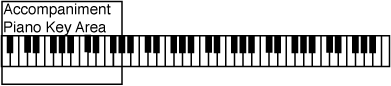
All 70 rhythm styles have their own dedicated auto accompaniment orchestrations. The selected rhythm style determines the characteristics of the auto accompaniment orchestration. The auto accompaniment section of the piano is assigned by Splitting the Piano Keyboard into two sections.
Engaging the Auto Accompaniment Functions
1
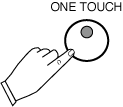
Press the One Touch Button, it's LED will turn on. The One Touch Button is located above the Start/Stop Rhythm Function Buttons. When this button is engaged it will automatically select a instrument voice that will match the selected Rhythm Accompaniment Pattern. The Intro and Piano Sync Buttons will also be automatically engaged.
2
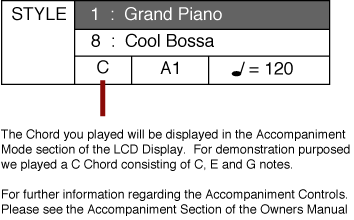
Play a Chord (of 3 or more notes), in the Left hand Auto Accompaniment Piano Key Area. You will hear the Introduction of the "Cool Bossa" Rhythm Style.
You may return to default or power up settings by simply pressing the GRAND PIANO Button (red). The piano's control settings will reset to the initial full 88 note piano with the Grand Piano Voice Selected. The Grand Piano Button is located to the right of the LCD display screen.