|
| Ease of Operation |
|
| Playing Different Voices with the Left and Right Hands |
|
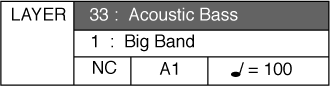
| LOWER VOICE – Lower or split mode, divides the piano keyboard into two sections, Upper and Lower. In the right hand section (Upper Section), the "main" or Upper and Layer voice (if engaged) will be heard. In the Left Hand section a different instrument voice can be selected to sound when the keys are played. |
|
| Splitting the Keyboard into two Separate Voices |
|
|
|
|
| 2 |
|
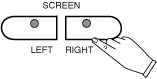
You may select a different Layer instrument voice in the same manner as listed on the previous page. The procedure is shown again below. Press the Sound Group Button twice. Use the SCREEN RIGHT, SCREEN LEFT buttons to page through the voice groups (or you may simply use the Value Buttons + and - to cycle through the available instrument voices). |
|
 |
|
|
| 3 |
|
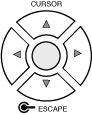
Use the CURSOR buttons to move the highlighted area to the voice you would like to select. |
|
 |
|
|
| 4 |
|
Press the ENTER button to engage your selected voice. The display screen will show your newly selected voice. |
|
 |
|
|
| To Disengage the Lower Mode |
|
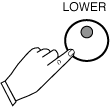
| To disengage the LOWER mode simply press the LOWER Button, it's LED indicator will turn off. |
|
 |
|
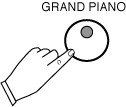
You may return to default or power up settings by simply pressing the GRAND PIANO Button (red). The piano's settings will reset to the initial full 88 note piano with the Grand Piano Voice Selected. The Grand Piano Button is located to the right of the LCD display screen. |
|
 |
|