|
| Ease of Operation |
|
| Playing two Voices Simultaneously |
|
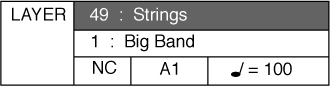
| LAYER (DUAL) VOICE – Layer, or dual, refers to an additional voice that is tone mixed with the already elected Upper (main) instrument voice. The selected layer voice will be heard with the Upper (Main) voice when the layer feature is engaged. |
|
| Combining two Instrument Voices |
|
|
|
|
| 2 |
|
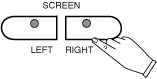
You may select a different Layer instrument voice in the same manner as listed on the previous page. The procedure is shown again below. Press the Sound Group Button twice. Use the SCREEN RIGHT, SCREEN LEFT buttons to page through the voice groups (or you may simply use the Value Buttons + and - to cycle through the available instrument voices). |
|
 |
|
|
| 3 |
|
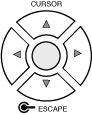
Use the CURSOR buttons to move the highlighted area to the voice you would like to select. |
|
 |
|
|
| 4 |
|
Press the ENTER button to engage your selected voice. The display screen will show your newly selected voice. |
|
 |
|
|
| To Disengage the Layer Mode |
|
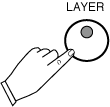
| To disengage the LAYER mode simply press the LAYER Button, it's LED indicator will turn off. |