HG-425e Features
HG-425e FAQ's
Fun Entertainment Center
Ease of Operation
Assembly Guide
Quick Start Guide
Instruction Manual
HG-425e Brochure
How To Play Disks
Product Registration
Product Warranty
Where To Buy
About Suzuki
HG-425e Home Page
Ease of Operation
Playing a Voice
The HG-425e features a stunning variety of rich and realistic instrument voices. We will explain how to select individual voices, combine two voices in a layer and split two voices between your left and right hands.
QUICK SELECT – There are 16 voices that can be selected quickly by pressing one of the 16 quick select SOUND GROUP buttons. Pressing one of these buttons will immediately engage that selected instrument voice.
Selecting any Instrument Voice
Selecting one of the 128 voices
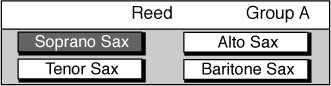
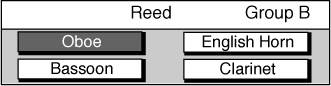
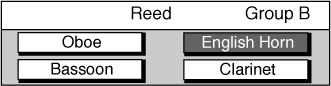
1 Press a quick select SOUND GROUP button twice, to engage a voice selection menu on the display screen. Each button is assigned eight related voices in two groups of four.

2 Use the SCREEN RIGHT, SCREEN LEFT buttons to page through the voice groups.

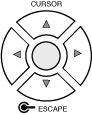
3 Use the CURSOR buttons to move the highlighted area to the voice you would like to select.

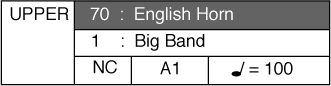
4 Press the ENTER button to engage your selected voice. The display will revert to the performance screen showing the new voice.