HG-425e Features
HG-425e FAQ's
Fun Entertainment Center
Ease of Operation
Assembly Guide
Quick Start Guide
Instruction Manual
HG-425e Brochure
How To Play Disks
Product Registration
Product Warranty
Where To Buy
About Suzuki
HG-425e Home Page
Ease of Operation
Play all Songs on the Floppy Disk
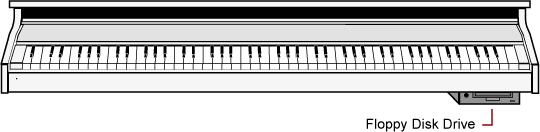
We have enclosed demonstration disks to play on your Suzuki Piano for your enjoyment. The Disk Drive is located on the bottom right portion of the piano.
1 Insert one of the supplied Demonstration Floppy disks into the disk drive. The disk eject button on the drive pops out when the disk is properly inserted.

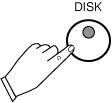
Press the DISK button located on the far right of the control panel to activate the Disk Menu screen. It's LED indicator will turn on.
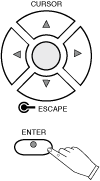
2 The Disk Menu will appear on the LCD screen as shown below. Use the Cursor Buttons to Highlight the "Play Disk" Function and then press the Enter Button that is located under the LCD Screen.
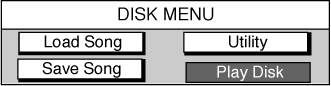
The Piano will begin to play the first song on the disk after loading it into memory. Each song on the disk will play sequentially.

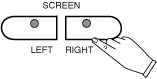
If you selected one of the Karaoke Song Files to play you will need to press the Screen Right Button, of the Screen Left / Screen Right Button Group that are located directly beneath the LCD Screen, to see the Karaoke lyrics on the display screen.